Mechanisms & Automata · Laser Generator Studio
Automata and Mechanism Generator for Laser Cutting
Moving parts cut flat: cams and followers, Geneva drives, a clock escapement, ratchet and pawl, timing pulleys, a mechanical iris, linkages and complete hand-cranked automata.
- Exports
- SVG, DXF, PDF, EPS
- Works with
- LightBurn, xTool Creative Space, Glowforge, CAD software
- Materials
- Birch plywood, MDF, acrylic
What it makes
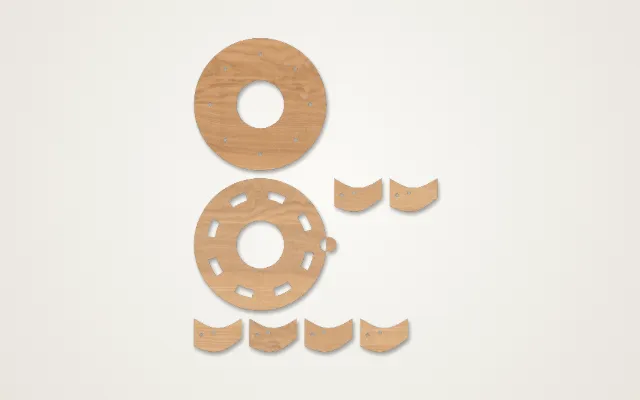
The Mechanisms & Automata studio draws working mechanisms that you cut flat and assemble: cams and followers, a Geneva drive that turns steady rotation into stepped motion, a clock escapement, ratchet and pawl, timing pulleys with the right belt length, a mechanical iris that opens and closes, four-bar linkages that trace their path on screen, a pantograph, flat chain, wheels and kinetic spinners. It can also build a complete hand-cranked automaton with a frame, crank and moving figure.
Mechanisms you can make
| Mechanism | What it does |
|---|---|
| Cam and follower | Turns rotation into an up-and-down, bouncing or rocking motion |
| Geneva drive | Turns steady rotation into stepped, stop-and-go turns |
| Escapement | The tick-tock heart of a mechanical clock |
| Ratchet and pawl | Lets a wheel turn one way only |
| Timing pulleys | Toothed pulleys with the belt length worked out for you |
| Mechanical iris | Blades that open and close a round hole |
| Linkages | Four-bar linkages and a pantograph, with the traced path shown |
How it works
- Pick a mechanism or a full automaton.
- Set the motion: the cam shape, or the automaton movement (up and down, bouncing, rocking, waving or turning). The preview shows the path.
- Enter the axle diameter of the dowel or rod you have, and choose press or free holes.
- Enter the sheet thickness so slots and spacers fit, then export and cut.
Tips for smooth movement
- Measure your kerf first. The kerf calculator shows how much material the laser removes, which decides how tight holes and slots come out.
- Clearance, not friction. Moving parts need a little room. If something binds, sand the working edge rather than forcing it.
- Wax the contact faces. A drop of candle wax on cams, followers and gear teeth makes everything run more smoothly.
- Build a stiff frame. A wobbly frame lets axles tilt and mechanisms jam. 6 mm plywood, or a box from the box generator, keeps everything square.
Gears: for gear trains, racks and ratios, use the gear generator. It works out the centre distance and backlash for laser-cut teeth.
Export
Parts export as SVG and DXF in millimetres, so the motion stays accurate if you combine parts in a bigger design.
Questions
What is an automaton?
A hand-cranked automaton is a small machine where turning a handle moves a figure: a bird that pecks, a boat that rocks, a figure that waves. Inside, cams and levers turn the circular motion of the crank into the movement you see.
What is the difference between press holes and free holes?
A press hole is slightly smaller than the axle so the part grips it and turns with it, like a cam fixed to its shaft. A free hole is slightly larger so the part spins on the axle, like a follower or a wheel.
What axle should I use?
Wooden dowels, bamboo skewers, brass rod or steel rod all work. Measure the one you have and type that diameter; the studio sizes every hole from it.
Why do my parts stick?
Moving parts need clearance, not a press fit. Run a kerf test first, sand the working edges smooth and rub a little candle wax on cams and gears.
Which thickness should I cut?
3 mm plywood suits small moving parts; 6 mm is stiffer for frames and bases that take the load.
xTool, LightBurn, Glowforge are trademarks of their respective owners. Laser Generator Studio is an independent product and is not affiliated with or endorsed by them.