Depth Map · Laser Generator Studio
Depth Map Generator: Photo to 3D Laser Engraving and STL
AI turns any photo, or text, into a grey depth map for 3D laser engraving, raised UV printing on the xTool O1 Omni and CNC relief carving, with an STL heightfield.
- Exports
- PNG, STL
- Works with
- LightBurn, xTool Creative Space, EzCad, CNC relief software
- Materials
- Wood, acrylic, brass, stainless steel
What it makes
The Depth Map studio uses AI to estimate how far away each part of a photo is and turns it into a smooth grey depth map. Use the map for 3D laser engraving, raised UV printing or CNC relief carving. You can also type text to make raised lettering, and export an STL heightfield for 3D work.
Uses
| Use | Machine | Export |
|---|---|---|
| 3D engraving | Fibre, CO2 or diode laser | PNG |
| Raised UV print | xTool O1 Omni | PNG |
| Relief carving | CNC router | STL or PNG |
| 3D print | Any 3D printer | STL |
How it works
- Load a photo or type text.
- Let the AI build the depth, then adjust contrast, smoothing and invert.
- Set the size and the depth range.
- Export the PNG for your laser or the STL for CNC and 3D printing.
Tips
- Smooth a little. A light blur avoids a stepped, noisy surface.
- Test small first. 3D engraving takes many passes; try a 30 mm sample before a full piece.
- Landscapes? For real mountains, the 3D terrain generator uses real elevation data.
Only use photos you have the right to use, such as your own or ones your customer sends you.
Export
A grey PNG depth map at the exact size, and an STL heightfield.
Questions
What is a depth map?
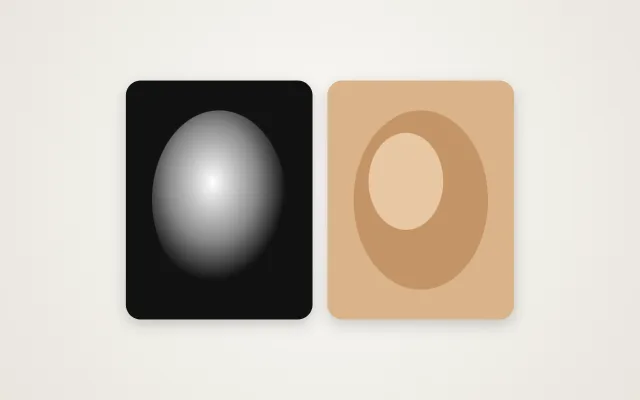
A grey image where light areas are high and dark areas are low. Lasers and CNC routers read the shades as depth, so they carve a 3D surface.
Which lasers can engrave in 3D?
Fibre lasers with a 3D or deep engraving mode work best on metal. Diode and CO2 lasers can engrave shallow relief in wood with several passes.
Can I use it for raised UV printing?
Yes. The xTool O1 Omni can print a depth map as raised layers for an embossed feel.
What is the STL for?
The STL is a 3D heightfield of the same map. Use it for CNC relief carving or 3D printing.
Does the AI work on any photo?
Most photos work. Clear subjects with good lighting, such as faces, pets and objects, give the cleanest depth.
xTool, LightBurn are trademarks of their respective owners. Laser Generator Studio is an independent product and is not affiliated with or endorsed by them.