Panels & Enclosures · Laser Generator Studio
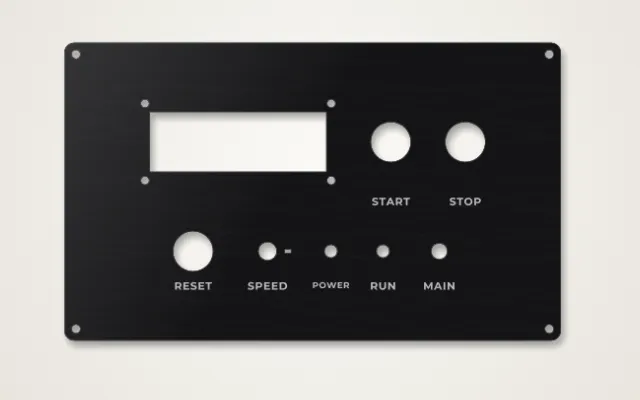
Enclosure and Panel Generator: Control Panels, Rack Panels and Plates
Control and rack panels from a parts list, Arduino and Raspberry Pi plates and enclosures, pedal drill templates, knob dials, meter faces, keyboard and arcade plates, wall plates and Gridfinity.
- Exports
- SVG, DXF, PDF
- Works with
- LightBurn, xTool Creative Space, Glowforge, Fusion
- Materials
- Acrylic, birch plywood, MDF, anodised aluminium
What it makes
The Panels and Enclosures studio makes the flat parts that electronics and workshop projects need. Build a control panel or rack panel from a parts list, cut a plate or enclosure for an Arduino or Raspberry Pi, lay out a guitar pedal drill template, or make dials, meter faces, keyboard and arcade plates, LED grids, battery organisers, wall plates and Gridfinity baseplates.
Products
| Product | What you get |
|---|---|
| Control panel | Holes for buttons, LEDs, switches, jacks, displays and fans, with labels |
| Rack panel | EIA-310 sizes, 1U is 44.45 mm |
| Board plates and enclosures | Arduino and Raspberry Pi with port cut-outs |
| Pedal templates | Drill layouts for pedal enclosures |
| Dials and meter faces | Knob scales and gauge faces |
| Keyboard and arcade plates | Switch and button cut-outs |
| Wall plates | Toggle, rocker, outlet and keystone openings |
| Gridfinity | Baseplates on a 42 mm grid |
How it works
- Choose a product and its size.
- Add the parts or pick the board.
- Arrange and label them.
- Export and cut.
Tips
- Measure your parts. Hole sizes are standard, but check the threaded bushing of each switch or pot before cutting.
- Allow for kerf on tight holes. Measure it with the kerf calculator.
- Need a full box? Use the box generator and add the panel as a face.
Labels last: engrave labels after cutting the holes so the panel does not shift between steps.
Export
Panels export as SVG, DXF or PDF, with cuts and engraved labels on separate layers.
Questions
How do I make a control panel?
Add the parts you need, such as buttons, LEDs, switches, jacks, USB-C, displays or a fan, and the studio cuts the right hole for each one. Drag them into place and add labels.
Does it do 19 inch rack panels?
Yes. Rack panels follow the EIA-310 standard, where 1U is 44.45 mm, with the mounting holes in the right place.
Which boards have enclosure plates?
Popular Arduino and Raspberry Pi boards, with mounting holes and port cut-outs where the connectors are.
Can I make guitar pedal drill templates?
Yes. Lay out jacks, footswitch, pots and LEDs, then print or engrave the template and use it to drill the metal enclosure.
What is Gridfinity?
A modular storage system of baseplates and bins on a 42 mm grid. The studio makes laser-cut baseplates that fit standard bins.
xTool, LightBurn, Glowforge are trademarks of their respective owners. Laser Generator Studio is an independent product and is not affiliated with or endorsed by them.