Packaging & Presentation · Laser Generator Studio
Laser Cut Packaging Generator: Inserts, Tuck Boxes and Hang Tags
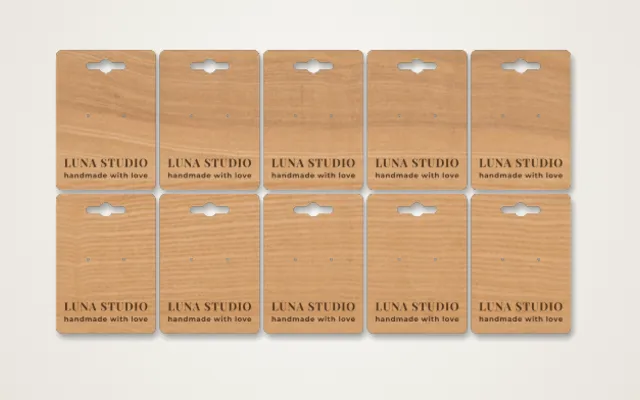
Presentation inserts sized from the things that go inside, ring and chocolate inserts, sleeves and belly bands, tuck boxes, gift card holders, jewelry cards, hang tags and candle lids.
- Exports
- SVG, DXF, PDF, EPS
- Works with
- LightBurn, xTool Creative Space, Glowforge, Cricut
- Materials
- Cardstock, chipboard, EVA foam, birch plywood, MDF
What it makes
The Packaging & Presentation studio makes the packaging that turns a product into a gift: layered presentation inserts sized from the items they hold, ring, earring and chocolate inserts, grid inserts, sleeves and belly bands, tuck boxes, gift card and cash holders, jewelry display cards, hang tags, header cards for bags and candle lids. It is made for small shops that want packaging that matches their brand without paying for a die.
Products
| Product | Typical use |
|---|---|
| Layered insert | A USB stick, watch, bottle or set held in cut-out pockets |
| Grid insert | Chocolates, candles or small items in rows |
| Sleeve or belly band | A branded wrap round a box or soap bar |
| Tuck box | A folding box with tuck flaps, no glue needed |
| Gift card or cash holder | A card wallet for gift cards or money |
| Jewelry card | Earring and necklace display cards |
| Hang tag and header card | Product tags and bag toppers with your logo |
| Candle lid | Wooden lids sized to your candle jar |
How it works
- Pick a product.
- Enter the size of your item; pockets and folds are sized around it.
- Set the material thickness so pocket depth and folds are right.
- Add your logo or text.
- Export, cut and fold: score the blue lines, cut the red ones, then fold and glue.
Tips
- Score, do not cut. Folds need very low power. Test on a scrap of the same card first.
- Use air assist on foam. EVA foam cuts cleanly with air assist and stays crisp at the edges.
- Price the packaging in. Add packaging to your costs in the price calculator so it does not eat your profit.
- Need a rigid box? The box generator makes finger-jointed wooden boxes that inserts can sit in.
Card safety: paper and card can catch fire. Use air assist, keep the power low and never leave the laser running unattended.
Export
Designs export with cut, score and engrave on separate colours, in millimetres, for laser software and cutting machines.
Questions
How are inserts sized?
Enter the size of the item that goes inside, such as a USB stick, a watch, a bottle or a ring. The pockets and cradles are cut around it, layer by layer.
What do the blue and red lines mean?
Red lines are cuts. Blue lines are folds: score them at very low power so the card creases neatly instead of cutting through.
Can I put my logo on the packaging?
Yes. Add a logo or text and it is engraved or scored on the front panel of the box, sleeve or tag.
What is the best material for inserts?
EVA foam holds products snugly and cuts cleanly with air assist. Layered plywood or MDF inserts look more premium for gift sets.
Does it work with a Cricut?
Card and paper designs export as SVG, which cutting machines can open. Wood and foam inserts need a laser.
xTool, LightBurn, Glowforge, Cricut are trademarks of their respective owners. Laser Generator Studio is an independent product and is not affiliated with or endorsed by them.