Photo to Part · Laser Generator Studio
Photo to DXF: Turn a Photo of a Part into a Laser Cut File
Photograph a part on the printable measurement board, or scan it, and get a clean, true-size laser file: perspective fixed, circles and slots recognised, holes measured, with fit and kerf built in.
- Exports
- DXF, SVG, PDF, EPS
- Works with
- LightBurn, xTool Creative Space, Glowforge, CAD and CNC software
- Materials
- Acrylic, birch plywood, gasket materials, aluminium
What it makes
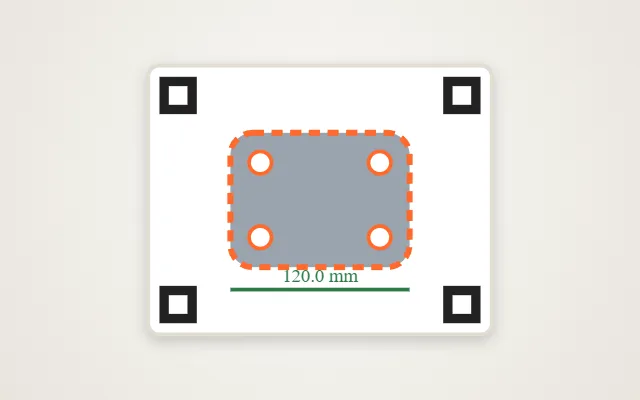
The Photo to Part studio reverse-engineers flat parts. Lay a part on the printable measurement board and take a photo, or put it on a scanner, and the studio straightens the image, traces the outline, recognises circles, rectangles and slots, measures every hole and gives you a clean file at true size. It is made for broken parts nobody sells any more, gaskets, brackets, panels, templates and foam inserts.
What it recognises
| Feature | What the studio does |
|---|---|
| Outline | Traces the edge and straightens lines and corners |
| Circles and slots | Finds them and gives exact diameters and lengths |
| Hole patterns | Grids, rows and bolt circles, made perfectly regular |
| Symmetry | Mirrors a part from its best half when one side is damaged |
| Fit and kerf | Adjusts the outline and holes for your laser’s kerf |
How it works
- Print the measurement board and photograph the part on it, or scan the part.
- Check the outline: the studio fixes the perspective and traces the shape.
- Edit the measurements: click any dimension to type the exact value from your calipers.
- Cut a test strip to check hole and slot fit.
- Export the final part.
Tips for accurate parts
- Use the board or a scanner. A loose photo has no reference for size; the board’s markers are what make it accurate.
- Light it evenly. Soft daylight without hard shadows gives the cleanest edge.
- Measure your kerf. The kerf calculator tells the studio how much to allow so holes are not too loose.
- Type the key dimensions. For critical holes, type the caliper value; the studio keeps the rest in proportion.
Gaskets: only cut materials that are safe for your laser. Never laser PVC or vinyl, and check what an old gasket is made of before copying it in the same material.
Export
Parts export as DXF for CAD and CNC and as SVG for laser software, in millimetres. For logos and drawings rather than parts, use image to SVG.
Questions
How does it get the size right?
You print the measurement board and photograph the part lying on it. The board's markers tell the studio exactly how big everything is and fix the camera angle, so the outline comes out at true size.
Can I use a flatbed scanner instead?
Yes. A scan is already flat and to scale, so it is often the most accurate option for small parts.
How accurate is it?
In tests, a 100 by 60 mm part came out within about 0.1 mm, with holes within about 0.05 mm. The studio shows an accuracy report, and a test strip lets you check the fit before cutting the real part.
What kinds of parts can I copy?
Flat parts: replacement panels, gaskets, brackets, templates, covers and inserts. Holes, slots and bolt-circle patterns are recognised and can be made exactly equal.
Which file does it export?
DXF for CAD and CNC, SVG for laser software, plus PDF and EPS.
xTool, LightBurn, Glowforge are trademarks of their respective owners. Laser Generator Studio is an independent product and is not affiliated with or endorsed by them.