Clock Faces · Laser Generator Studio
Clock Face Generator for Laser Cutting and Engraving
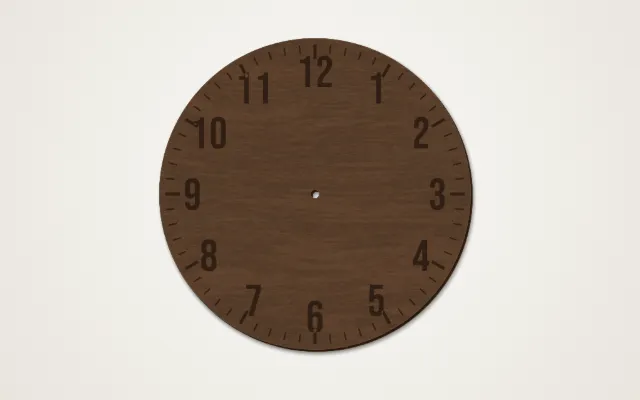
Wall clock dials with Arabic or Roman numerals, dots or bars, minute and hour ticks, a hole for the movement, and cut-out or engraved numbers with an optional backing layer.
- Exports
- SVG, DXF, PDF, EPS
- Works with
- LightBurn, xTool Creative Space, Glowforge
- Materials
- Birch plywood, walnut plywood, acrylic, MDF
What it makes
The Clock Faces studio makes wall clock dials. Choose the diameter and outline, the numeral style and font, minute and hour ticks, and a hole for a standard quartz movement. Numerals can be engraved, or cut out with a contrasting backing layer behind them. Add a name or date to make it a gift.
Options
| Option | Choices |
|---|---|
| Shape | Diameter and outline |
| Numerals | 1 to 12, Roman, dots or bars, or only 12, 3, 6 and 9 |
| Ticks | Minute and hour ticks with their own length and width |
| Numbers | Engraved, or cut out with a backing layer |
| Text | A family name, business name or date |
| Centre hole | Sized for your clock movement |
How it works
- Set the size and shape and the movement hole.
- Choose the numerals: style, font, size and distance from the edge.
- Add ticks and any custom text.
- Choose cut or engrave, then export.
Tips
- Measure the movement shaft before cutting the centre hole.
- Use contrast. Walnut numerals over a birch backing, or black acrylic over clear, read well from across a room.
- Pick hands that fit. Hands longer than the numeral radius will catch on raised numbers.
- Add moving parts with the gear generator for a decorative gear clock.
Stained-glass look: a stained glass pattern behind a clear dial makes a colourful window clock.
Export
Dials export as SVG and DXF with engraving and cuts on separate layers, in millimetres, for laser software.
Questions
What size hole does the clock movement need?
Most quartz clock movements need a hole of about 7.5 to 8 mm for the shaft. Check your movement and set the hole to match.
Which numeral styles are there?
Arabic 1 to 12, Roman numerals, dots or bars, and a minimalist option with only 12, 3, 6 and 9.
How do I choose the hands?
Hands are measured from the centre. Pick hands shorter than the distance from the centre to the numerals so they clear them.
What is the backing layer?
If you cut the numerals out, a second layer in a contrasting material glued behind makes them stand out.
Can I add a name or date?
Yes. Add custom text such as a family name, a business name or a wedding date.
xTool, LightBurn, Glowforge are trademarks of their respective owners. Laser Generator Studio is an independent product and is not affiliated with or endorsed by them.