Import & Nest · Laser Generator Studio
SVG Nesting Tool: Fit More Parts on Every Sheet
Drop in SVG files, let the File Doctor fix open shapes and double lines, set quantities, and auto-nest the parts onto sheets. Also converts SVG to DXF, PDF or G-code.
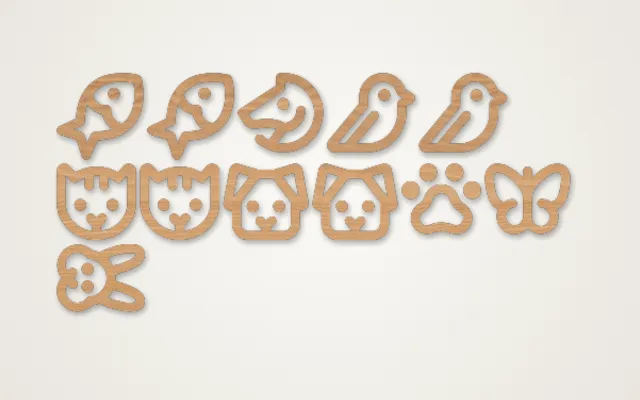
- Exports
- SVG, DXF, PDF, G-code
- Works with
- LightBurn, xTool Creative Space, Glowforge, GRBL lasers
- Materials
- Any sheet material
What it makes
The Import & Nest studio packs parts onto sheets to save material, and converts files between formats. Drop in SVG files or send parts from any other studio, set how many of each you need, and the studio arranges them on your sheet size with the margin and gap you choose. A built-in File Doctor checks every file for the problems that ruin a cut, and the costing panel shows what each part really costs.
What it does
| Feature | What it does |
|---|---|
| Auto-nest | Packs parts onto one or more sheets, with rotation if allowed |
| File Doctor | Finds and fixes open shapes, double lines, tiny bits and wrong sizes |
| Quantities | Set a count per part, or fill the sheet with as many as fit |
| Offcuts | Nest on a saved leftover piece instead of a full sheet |
| Costing | Sheets needed and cost per part |
| Converter | SVG to DXF, PDF or G-code without nesting |
How it works
- Add parts: drop SVG files or use Send to Nest from a studio.
- Fix them with the File Doctor.
- Set quantities and the sheet size, margin and gap.
- Nest, check the cost, then export the sheets.
Tips
- Convert text to paths in your design program before importing; nesting needs shapes, not fonts.
- Leave a gap of at least your kerf between parts so cuts do not merge. Measure it with the kerf calculator.
- Use your offcuts. Saved leftover pieces can be nested first, before you open a new sheet.
- Quote with real numbers. The cost per part feeds straight into the price calculator.
Converting only? See SVG to DXF and SVG to G-code for what changes between formats.
Export
Nested sheets export as SVG, DXF, PDF or G-code for GRBL lasers, one file per sheet.
Questions
What is nesting?
Nesting means arranging parts on a sheet so they use as little material as possible. The studio packs your parts automatically, rotating them if you allow it.
What does the File Doctor fix?
Common problems that trip lasers up: open shapes that should be closed, double lines that cut twice, tiny stray bits and wrong sizes. Press Fix all parts to repair them in one go.
Can I send parts from other studios?
Yes. Every studio has a Send to Nest button that adds its parts here.
How do I see the cost per part?
Enter the price of a sheet, and optionally the machine time. The studio shows how many sheets you need and the cost of each part.
Can it convert files without nesting?
Yes. Convert parts only turns SVG files into DXF, PDF or G-code as they are.
xTool, LightBurn, Glowforge are trademarks of their respective owners. Laser Generator Studio is an independent product and is not affiliated with or endorsed by them.