Events & Family · Laser Generator Studio
Wedding Place Card Generator: Place Cards, Table Numbers and Seating Charts
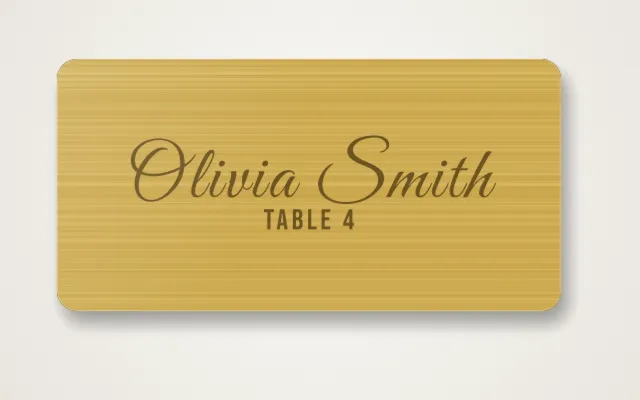
Paste a guest list and get a whole matching set: place cards (flat, tent, stand or glass tag), table numbers, a seating chart and family tree signs.
- Exports
- SVG, DXF, PDF, EPS
- Works with
- LightBurn, xTool Creative Space, Glowforge
- Materials
- Mirror acrylic, birch plywood, clear acrylic, cardstock
What it makes
The Events & Family studio turns a list of names into a matching set for weddings, parties and family gatherings: place cards in four styles, table numbers for every table, a seating chart from a pasted guest list, and family tree signs with every name on its own branch. Because everything comes from the same list, the whole set matches in font, size and decoration.
Products
| Product | From |
|---|---|
| Place cards | One name per line; flat, tent, stand or glass tag |
| Table numbers | A range like 1 to 20, all in the same style |
| Seating chart | Lines like “Table 1: Anna, Ben, Carla” |
| Family tree | One person per line, each on its own branch |
How it works
- Pick a product and paste your list.
- Style it: font, icon and shape. Every card in the set matches.
- Check the sheet count: names are laid out on sheets that fit your laser bed.
- Export, engrave the names, then cut.
Tips from event makers
- Proof the list twice. A misspelled name is the most common mistake, and the hardest to fix on the day.
- Cut spares. One extra card per table covers last-minute guests and breakages.
- Mirror acrylic engraves from the back. Engraving the back of mirror acrylic keeps the front shiny and readable.
- Quote the whole job. Events are priced per set; the price calculator includes material, machine time and labour.
Export
Cards export with the names on an engrave layer and the outlines on a cut layer, ready for LightBurn, xTool Creative Space or Glowforge.
Questions
How do I add all the names?
Paste the guest list with one name per line. The studio makes one card per name in the same style and lays them out on sheets for your bed.
How does the seating chart work?
Paste the tables as lines like "Table 1: Anna, Ben, Carla". The studio arranges the tables and names into one chart that matches the place cards.
Which place card styles are there?
Flat cards, folded tent cards, cards that stand up on a small base, and glass tags that hang on a wine glass.
What material looks best at a wedding?
Gold or silver mirror acrylic and light woods such as birch or maple. Engrave the names, then cut.
How do I avoid mistakes?
Check every name against the final RSVP list before you cut, and cut one or two spare cards per table for last-minute guests.
xTool, LightBurn, Glowforge are trademarks of their respective owners. Laser Generator Studio is an independent product and is not affiliated with or endorsed by them.