Guides · Christmas ornaments
How to make personalized Christmas ornaments on a laser
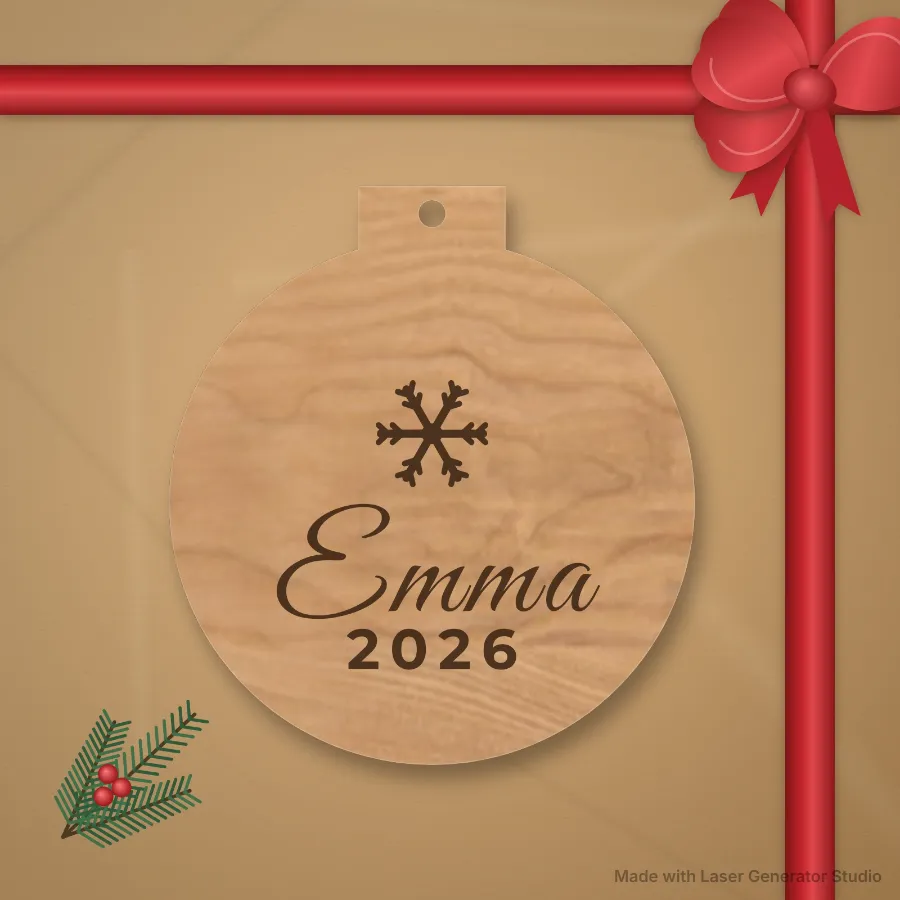
A wooden ornament with a name and a year is a classic personalised Christmas gift, and one of the simplest things to make and sell with a laser. Here is how to make them, with ideas that go past a plain name: family ornaments, pet ornaments, a spinning date wheel and a matching gift tag.
Ornaments you can make
| Ornament | What goes on it |
|---|---|
| Name ornament | A name, a year and a design, on a bulb, star, tree, bell, stocking, house, snowflake or gift box |
| Family ornament | The family name with everyone’s first names |
| Pet ornament | A paw, bone or pet shape with the pet’s name |
| Wedding ornament | Two names, the date and the place |
| Date wheel ornament | A wheel that turns to show milestones: met, engaged, married, first home |
| Map ornament | A layered street map of a hometown. See map ornaments |
| Name tile ornament | Family names crossing on little letter tiles, as a round ornament. See name tile signs |
Watch the full tutorial
Prefer to watch? This full tutorial makes personalized Christmas ornaments on a laser from start to finish. The written steps follow below.
Step by step
- Open Gifts and Ornaments and pick an ornament.
- Choose the shape and size. 75 to 90 mm (about 3 to 3.5 in) suits a tree.
- Type the name and year and pick a script font. The words fit the shape by themselves.
- Choose engrave, cut out or layered. Layered cuts the name from a second sheet to glue on top.
- Export with your laser’s preset and cut.
Add a matching gift tag
The studio also makes a small To and From gift tag in the same font, so the ornament and its tag look like a set. It is a simple add-on that buyers like.
Finishing and hanging
- Mask before you engrave. Low-tack masking tape or transfer paper over the face keeps smoke marks off the wood; peel it after cutting.
- Clean the edges. A light sand or a damp cloth takes off char and soot. The wood guide covers charring and finishing in more detail.
- Glue layered names with a thin line of wood glue, and press flat until dry so the layers don’t lift.
- Hang it with ribbon, twine or a metal ornament hook through the hole the studio adds at the top.
- Box it. A small presentation box or a hang card from the packaging generator makes it ready to give.
Making them sell
- List early. Ornament searches start in October.
- Offer personalisation: the name, the year and the shape.
- Batch your orders. Paste a list of names, or your Etsy orders file, and export one ornament per name.
- Price for your time with the laser price calculator.
- Offer more than ornaments. The Christmas gift ideas list has 15 products to make, each with its generator.
Questions
What wood should I use?
3 mm birch plywood is the usual choice. See laser cutting wood for tips on smoke marks and finishing.
How does the date wheel turn?
It has three pieces: a back, the wheel and a front with a window. A pin or paper fastener goes through the middle, and the wheel’s edge sticks out a little so you can turn it.
Can I make many at once?
Yes. One per name from a list or a spreadsheet, and the export lays several on one sheet.
Etsy is a trademark of its owner. Laser Generator Studio is an independent product and is not affiliated with or endorsed by it.