AI Designer · Laser Generator Studio
AI Laser Design Generator: Describe a Sign and Get a Cut File
Describe a sign in plain words, or say it out loud, and AI designs it: shape, text, fonts and a matching icon. Edit anything, then export like any other studio.
- Exports
- SVG, DXF, PDF
- Works with
- LightBurn, xTool Creative Space, Glowforge, LaserGRBL
- Materials
- Birch plywood, acrylic, slate, leather
What it makes
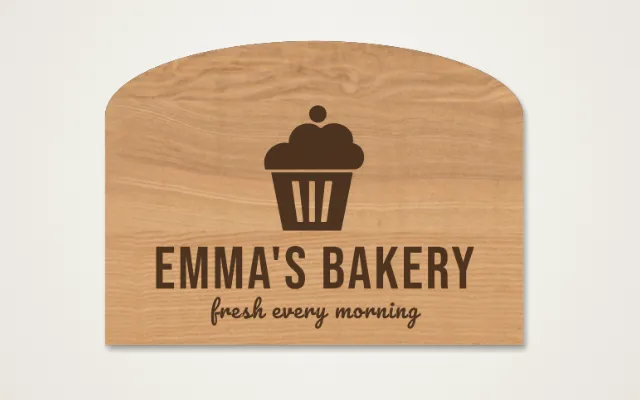
The AI Designer turns a description into a laser-ready sign or gift. Type what you want, or say it out loud, and the AI chooses a shape, lays out the text, picks fonts and adds a matching icon. Then you edit any part of it and export it like a design you made by hand.
What you can describe
| Idea | Example |
|---|---|
| Family signs | A welcome sign with a family name and year |
| Business signs | An open sign or a door plate with a logo icon |
| Gifts | A pet ornament or a teacher’s plaque |
| Events | A wedding welcome sign or a party banner |
How it works
- Describe the design in your own words, or press Speak.
- Look at the result and ask again if you want another idea.
- Edit the text, fonts, shape or icon.
- Export the cut file.
Tips
- Say the size and shape, such as “30 cm round”, for a closer first try.
- Spell names out exactly as they should appear.
- Want full control? The name sign generator lets you build it step by step.
Check before you cut. AI can misread a word. Read every line of text before you export.
Export
Designs export as SVG, DXF or PDF with engraving and cuts on separate layers.
Questions
What can I ask for?
Describe what you want, such as "a round welcome sign for the Smith family with a pine tree". The AI picks the shape, the layout, fonts and an icon to match.
Can I speak instead of typing?
Yes. Press Speak and say what you want.
Can I change the design?
Yes. Everything the AI makes is editable: text, fonts, sizes, shape and icon. Then export it like any other design.
How many AI designs can I make?
Free accounts get 3 AI designs a day and paid plans get 40.
Does the AI make the cut file?
Yes. The design is built from the same shapes as the other studios, so it exports as a clean cut and engrave file.
xTool, LightBurn, Glowforge are trademarks of their respective owners. Laser Generator Studio is an independent product and is not affiliated with or endorsed by them.